
🔄 Factory Reset Guide
How to Factory Reset TP-Link WA855RE
Learn how to securely restore your TP-Link WA855RE WiFi extender back to its factory default settings.
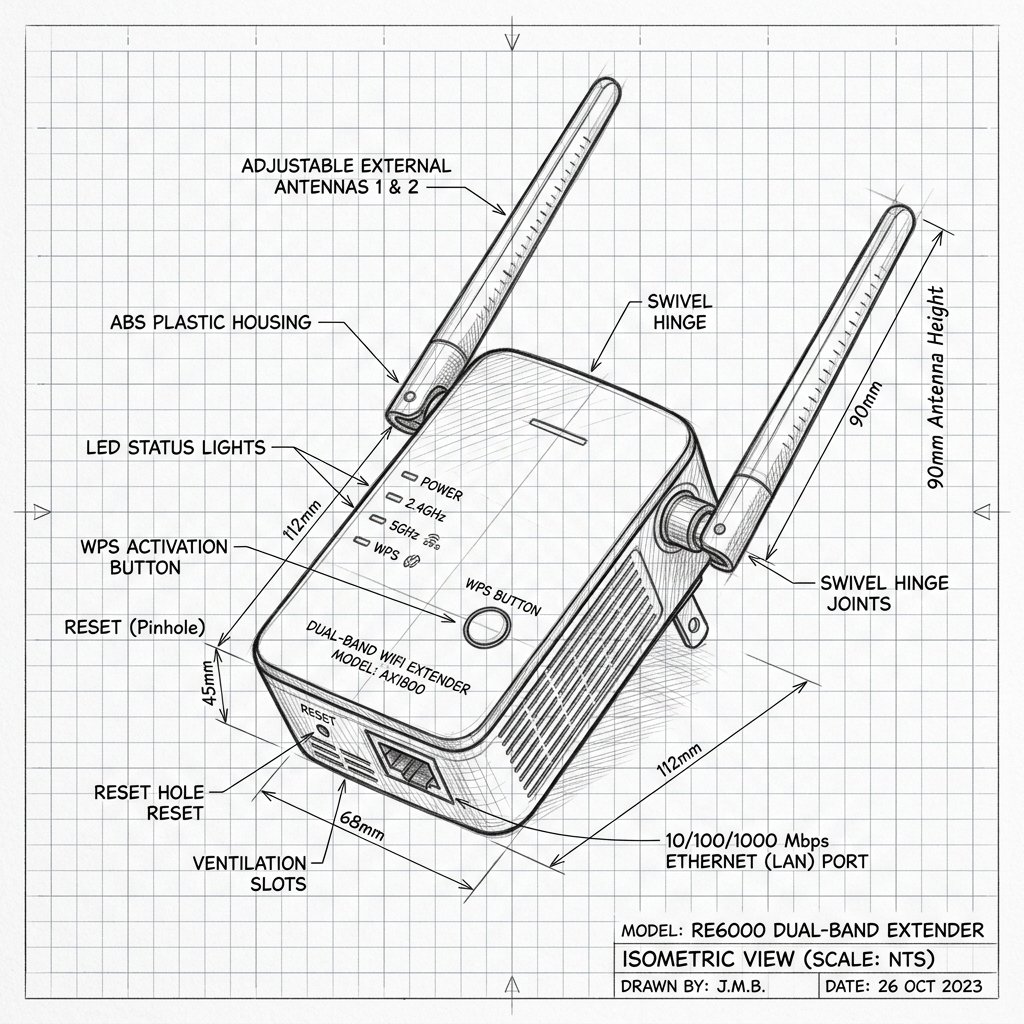 Dual-Antenna Range Extender
Hardware Reset Reference
TP-Link WA855RE Reset Location
Locate the dedicated physical Reset pinhole or recessed button shown in the diagram. Use a paperclip or SIM eject tool to press and hold according to the steps below.
Reset Button / Pinhole LED Blink Confirmation
- Ensure the extender is plugged in and powered on.
- Locate the Reset button or pinhole on the device.
- Use a paperclip to press and hold the Reset button for 10 seconds.
- Release the button when the LED lights blink or turn off.
- Wait 2 minutes for the extender to reboot to factory defaults.